Twin Interactive Player
The H5P player and the interactive-video player that run the games and bite-size videos inside app.twinscience.com — built from scratch, opened in an iframe.
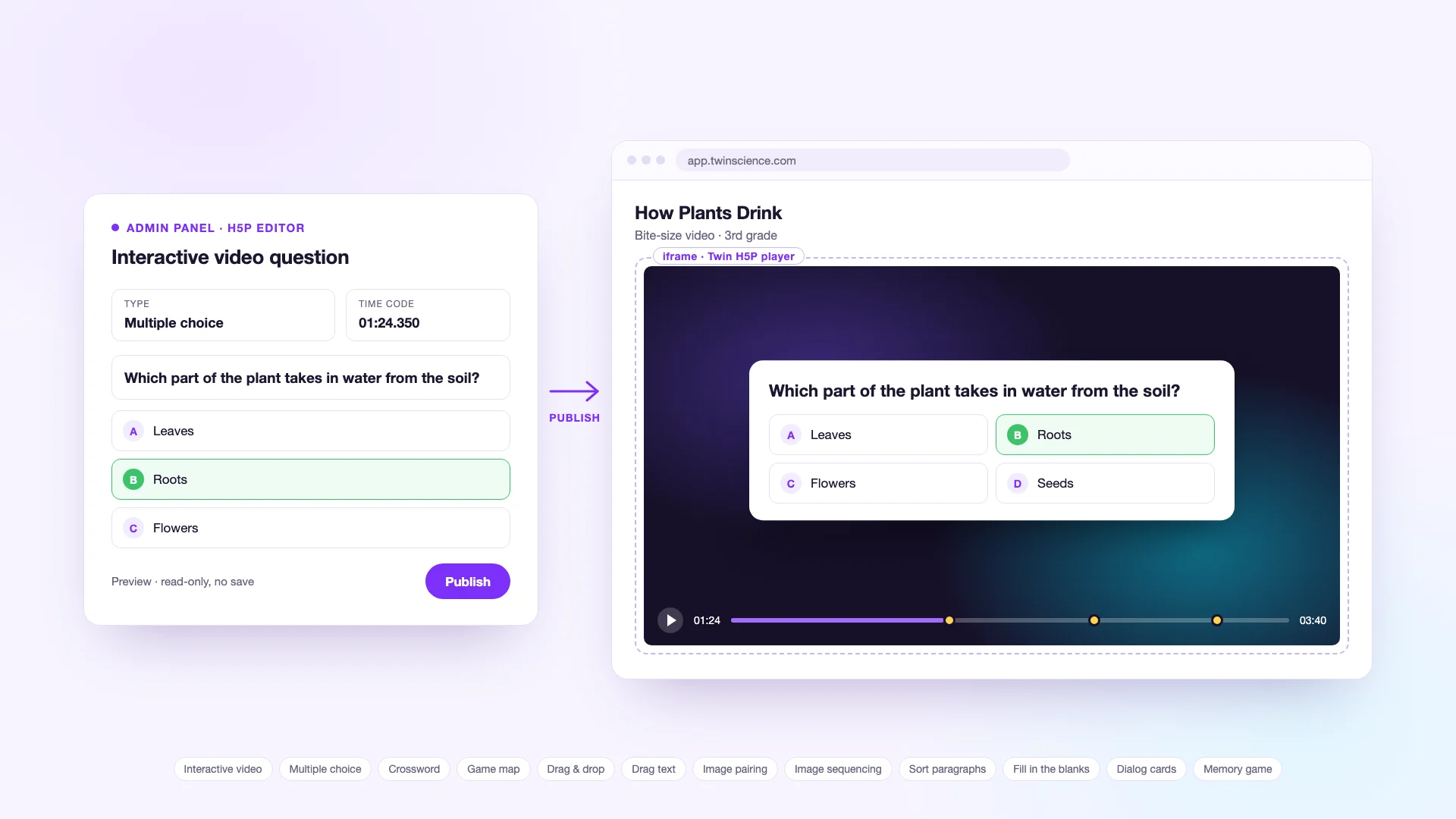
twing-games hosts Twin Science's in-lesson players and games, and several developers have worked in it since 2020. In 2026 I founded its two newest parts: a standalone H5P player that renders 12 interactive content types in Twin's branding, and the interactive-video player behind the bite-size video lessons in app.twinscience.com. About 98% of the H5P player's current code and about 80% of the video player's are mine, and I shipped 23 of the repo's 28 releases in 2026.
Context
It is the system the videos and games in app.twinscience.com run on; the platform's quizzes are a separate module inside app.twinscience.com itself. Content is authored in the admin panel's H5P editor — questions placed on a video's timeline, crosswords, drag-and-drop, sequencing, memory games — and app.twinscience.com opens it in an iframe, on the web and inside the mobile app's webview. Teachers open the same content on a classroom smart board in Presentation Mode.
Problem
Twin had no H5P player of its own, and interactive videos had to work everywhere the platform runs: on iPhones, whose WKWebView refuses native fullscreen, and on phones held upright, where the 16:9 box shrank to 390×219 and the in-video question text fell to 8 px. Teachers and admins also needed to preview content without saving progress — and without it being reachable from outside the admin panel.
Approach
H5P player. built from scratch on h5p-standalone, with 12 content types — crossword, game map, drag question, drag text, image pairing and sequencing, paragraph sorting, multiple choice, blanks, dialog cards, memory game and interactive video — plus 11 of the 12 Node scripts that vendor and package the H5P libraries.
Interactive-video player. questions that open on the video at their time code, right and wrong feedback, a reward screen with confetti, a Figma-designed answer UI, sound effects, and question overlays that scale to fit the screen instead of scrolling.
iOS fullscreen, end to end. when the native request is denied the player falls back to a pseudo-fullscreen mode and tells the host app; on the twin-web side a fullscreen service listens and expands the iframe. Both halves shipped the same day.
Phone portrait. I traced the layout chain behind the unreadable in-video questions and fixed it in three parts — a fixed overlay in portrait, a height budget taken from the real viewport, and a single-column switch keyed on width rather than orientation.
Preview and deploy. an origin-allow-listed, read-only, no-save preview for teachers and admins with a millisecond-precise timeline, which Presentation Mode reuses. The Azure Static Web Apps deploy now returns 404 for internal docs and keeps them out of search indexes.
Internal tools. a SCORM export tool (~3,200 lines) that the team runs in-house to package content for other learning platforms. It lives outside the deployed site.
Number Snake. a grade-2 mental-arithmetic game with the curriculum's limits written into the code, backed by a test harness of about 800,000 automated checks and zero failures. It is complete but not released yet.
Outcome
The interactive-video player runs in production inside app.twinscience.com, in the student video view and in Presentation Mode. On a phone held upright the in-video questions' render scale went from 0.30 to 0.70 and their text from 8 px to 19 px.